For Madagascar: computed on every stay, with its return ready in the reports.
Hotel, guesthouse, lodge
Management software for your hotel or guesthouse
Synkorao prepares an Odoo workspace set up for lodging: room planning, bookings, guests and the stay invoice. You try it for 7 days with your own rooms, then continue only if it works for you.
- Ready in under 5 minutes
- 7-day free trial, no commitment
- Your own isolated Odoo Community workspace
01
Stays and front desk
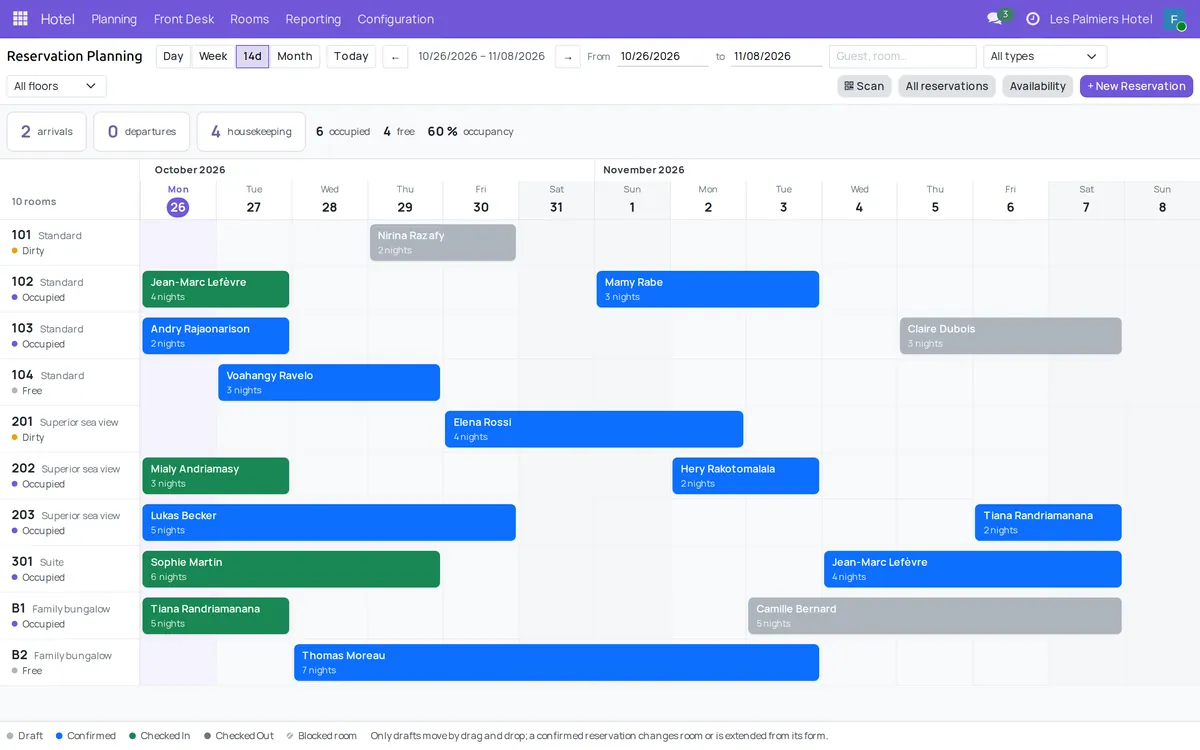
From booking to check-out, the front desk sees everything on one planning.
- Room planningAll your rooms and bookings on one calendar: see at a glance what is free, occupied or to be cleaned.
- Check-in and check-out hoursThe times your guests take and hand back the room.
- Respect room capacityPrevents putting more guests in a room than it holds.
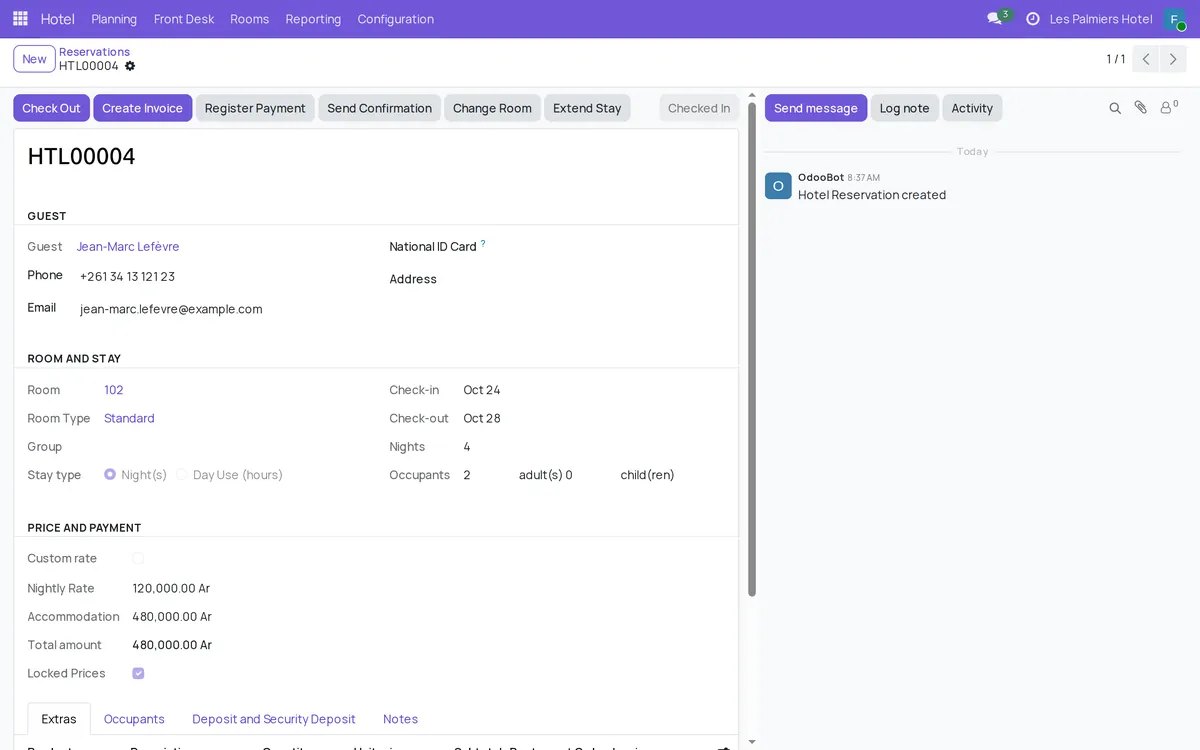
- Guests and police registerRecord every person who stays with you and print the police form.
- Identity document required at check-inRefuses the check-in while an occupant's ID is missing.
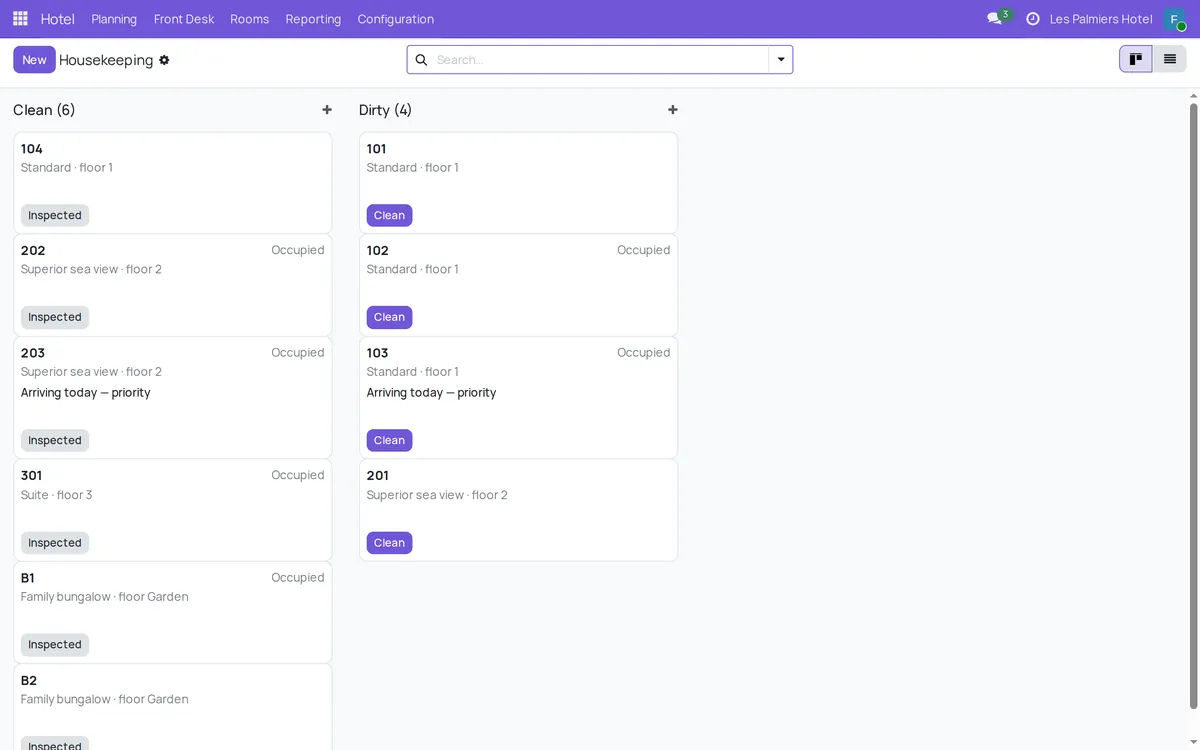
- Daily housekeepingEvery morning, occupied rooms are marked "to clean".
02
Prices and invoicing
The stay’s invoice is prepared from the confirmation and includes what was consumed.
- Tourist tax (vignette)Computes the tourist tax on every stay and prepares its declaration.
- Price by number of guestsThe room price changes with the number of guests.
- Meal plansOffer half board or full board, with a price per guest and per night.
- Quick extras at the deskAdd a minibar item, a drink or laundry to the stay in one tap at the desk.
- ProformaSend a proforma invoice before the guest arrives.
- Late cancellation feeCharges a cancellation made too late (for example less than 7 days before arrival).
- Automatic no-showsA guest who does not come is marked "no-show" and the room is freed automatically.
- Company billingInvoice a company for its employees' stays.
03
Guests, agencies and messages
Guest e-mails go out by themselves, at the steps you turn on.
- Automatic confirmation e-mailAs soon as you confirm a booking, the guest receives the confirmation and receipt by e-mail.
- E-mail the day before arrivalThe day before arrival, your guests receive an e-mail with your times and address.
- Thank-you e-mail after departureAfter departure, your guests receive a thank-you e-mail.
- WhatsApp buttonWrite to a guest on WhatsApp from their booking, with a ready message.
- Guest profile (VIP, preferences, allergies)Remember what your guests like: VIP, preferences, allergies.
- Requests and conciergeTrack guests' requests: taxi, wake-up call, repair…
- Agencies and tour operatorsWork with travel agencies and tour operators: negotiated rates, commissions, monthly statement.
04
Sales channels and reports
Dates sold on Airbnb or Booking.com are blocked in your planning.
- Airbnb, Booking calendars (iCal)Connect your rooms to Airbnb and Booking.com through their calendars: dates sold on either side are blocked.
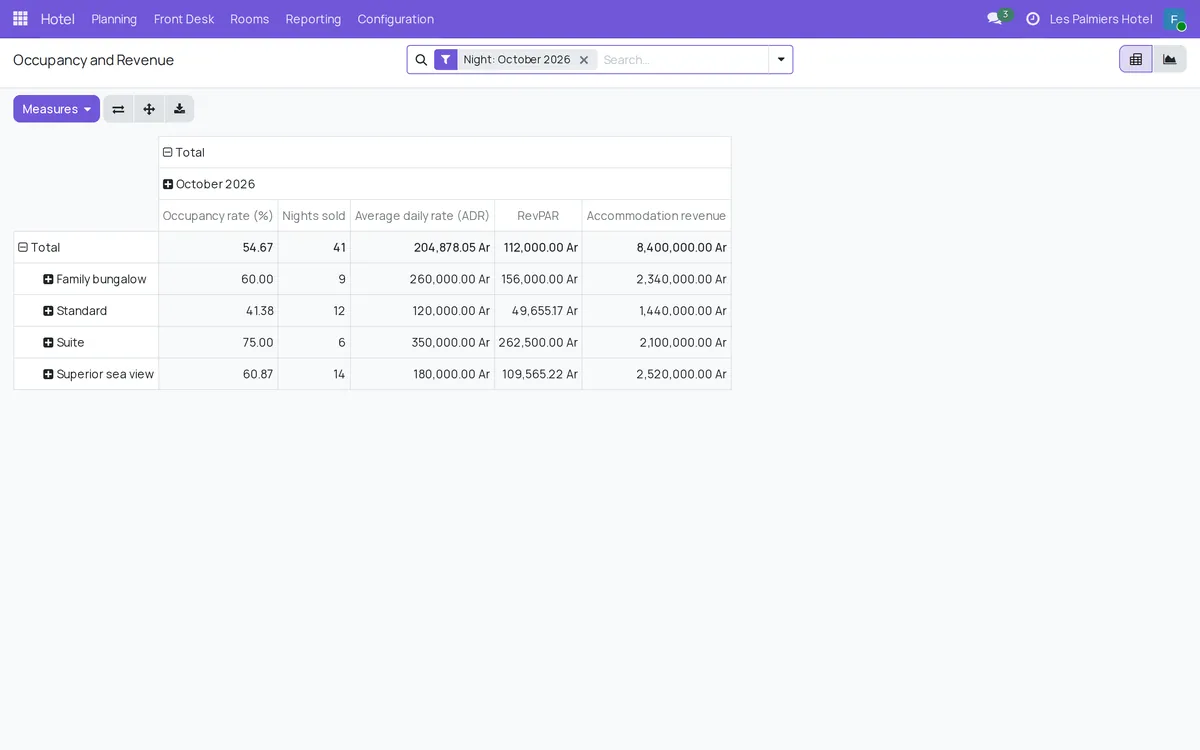
- Operations reportsEach day's closing and the tourist tax declaration.
Online booking
Your own website, where guests book by themselves
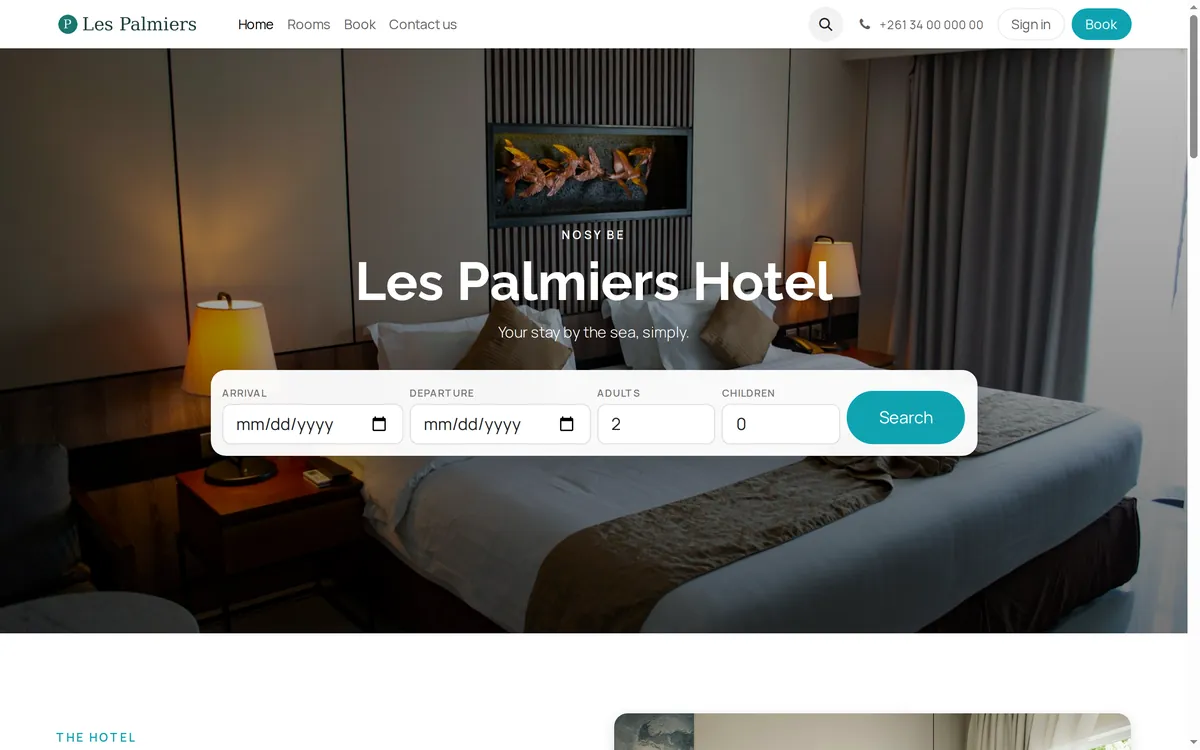
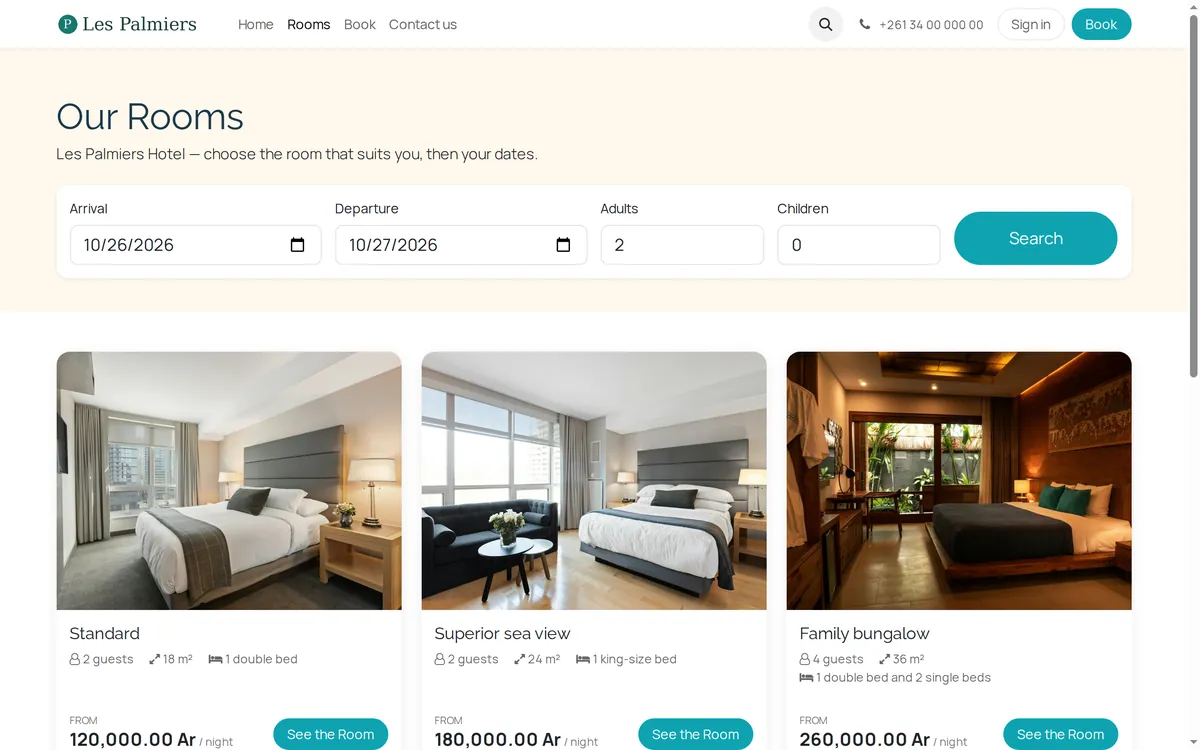
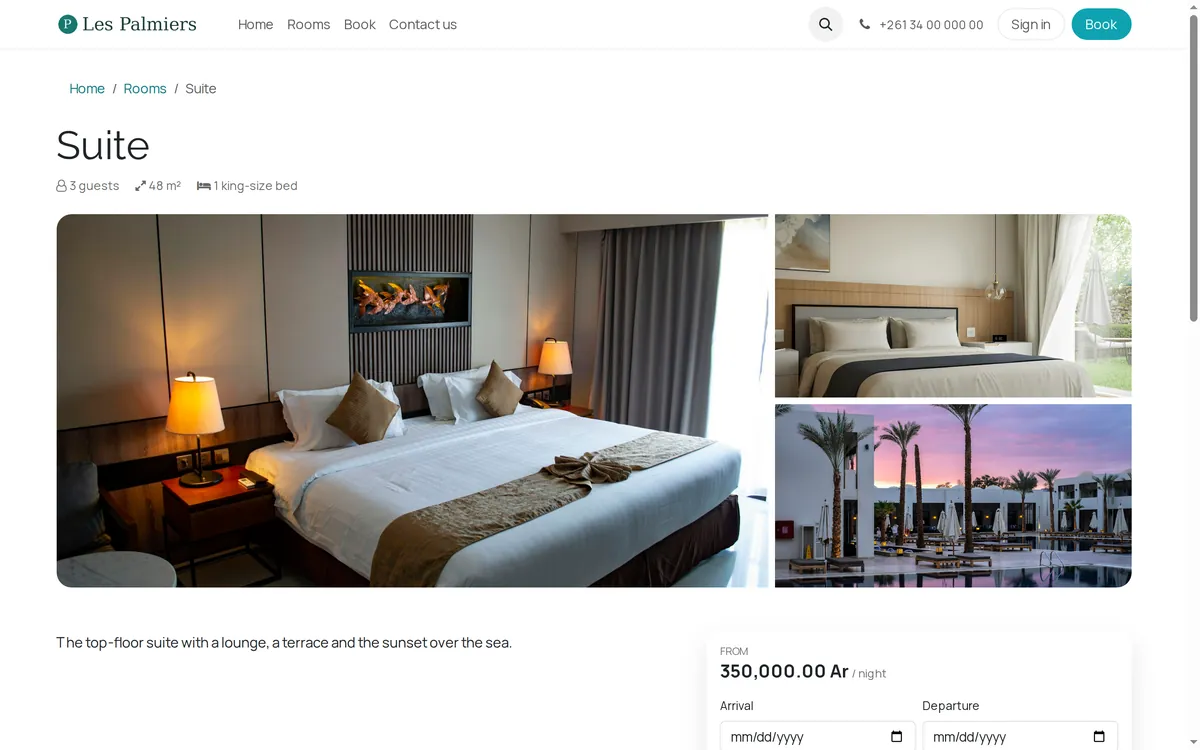
The hotel website is built with your rooms, and you change it in Odoo’s website editor, helped by the AI assistant. Guests pick their dates, see the free rooms and their price, and book.
- Hotel website and online bookingYour hotel's website, which you change with the AI assistant, where guests book and pay a deposit.
- Free rooms and pricesGuests choose their dates and number of people: they see the free rooms and the price of the stay.
- Online depositA deposit, 30% by default, is paid online when booking, with an active online payment method.
- Unpaid bookings releasedA booking whose deposit is not paid is cancelled after the delay you set, 2 hours by default.
Applications
Included in the Hotel configuration
These applications are installed with your workspace: you set them up when you need them.
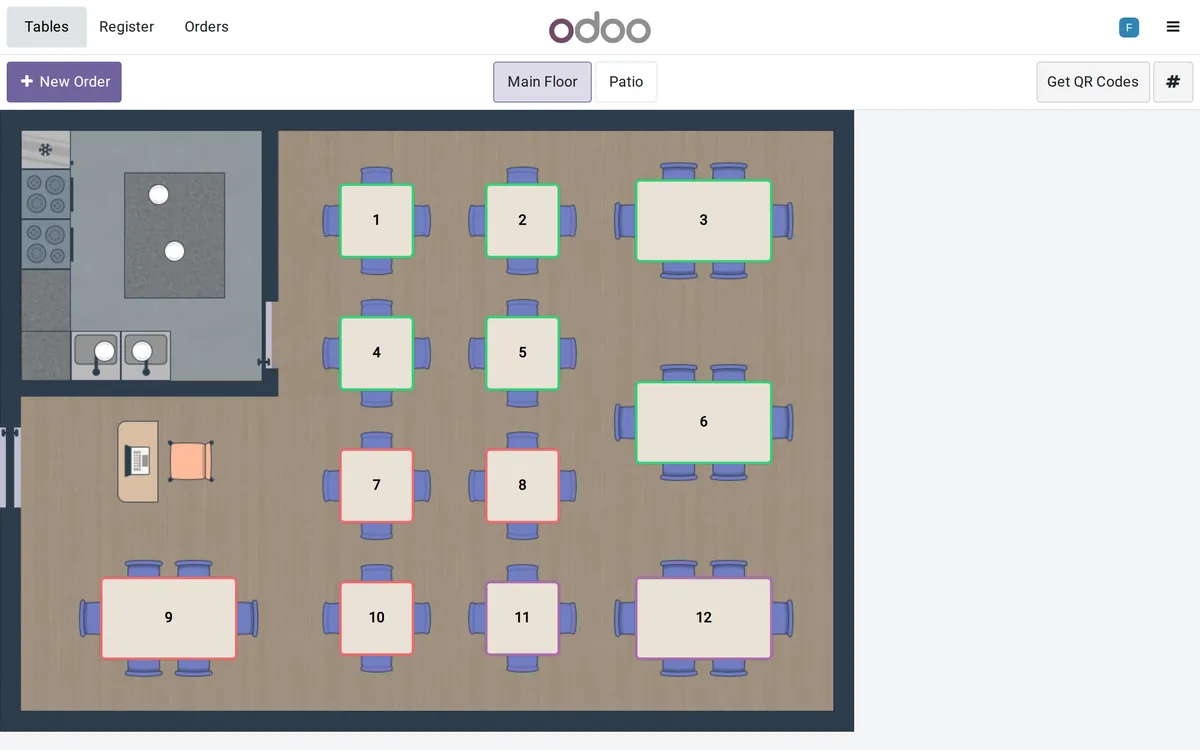
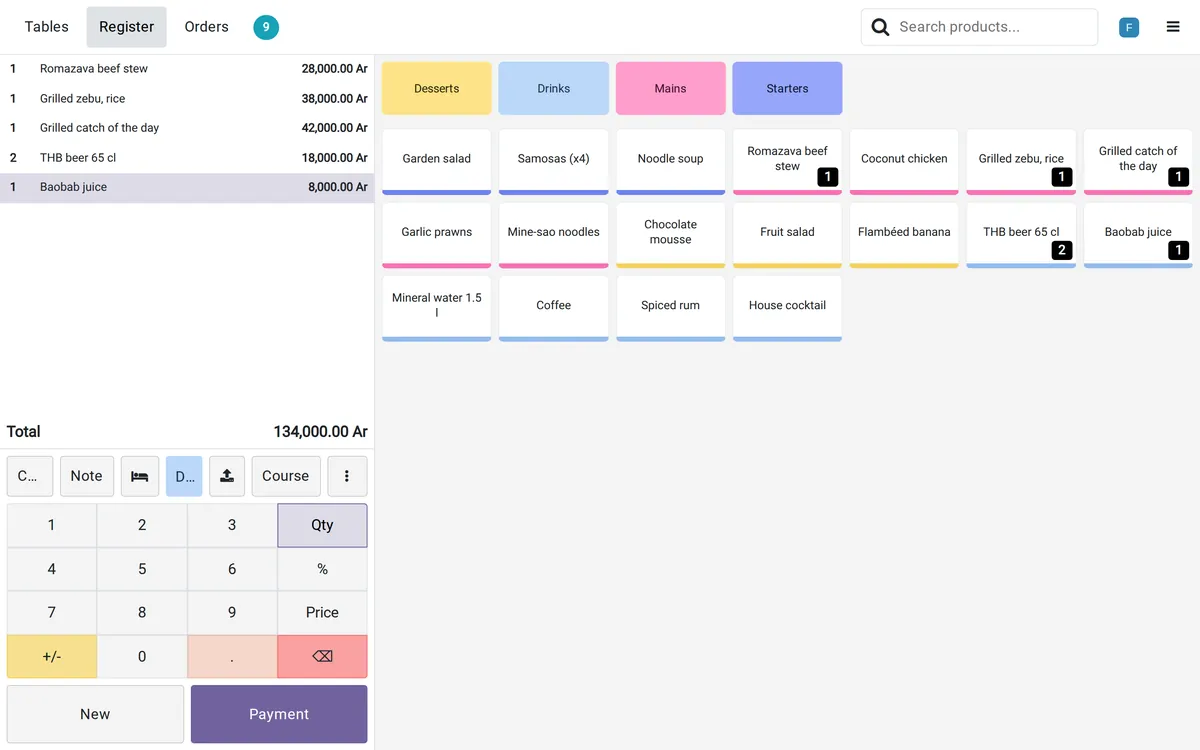
- Restaurant, bar and kitchen screenA till for your restaurant and bar, a screen for the kitchen, and bills added to the room.
- Hotel website and online bookingYour hotel's website, which you change with the AI assistant, where guests book and pay a deposit.
- QR check-inThe guest shows a QR code on arrival; the desk scans it.
Easy to start
Easy to pay, easy to learn.
A clear price and help at every step, wherever your business is.
Guests recorded at check-in, and the police form printed in one click.
Your subscription is paid with the methods offered at checkout. Abroad? Write to us and we will find the simplest way with you.
Create a room, record a booking, invoice a stay: everything is explained.
Questions
What people ask us
Can I connect my rooms to Airbnb and Booking.com?
Yes, through their iCal calendars: dates already sold on Airbnb or Booking.com are blocked in your planning, and your calendar is given to those sites the same way. Your workspace reads their calendars every 30 minutes: between two reads, the same date can still be sold on both sides.
Does it suit a small guesthouse?
Yes. You create only the rooms you have and turn on only the features you need. Everything else can be added later.
Can I run the hotel's restaurant?
Yes, with the Restaurant application: a till for the restaurant and the bar, a kitchen screen, and bills charged to the guest's room.
Is the tourist tax computed?
Yes, for establishments in Madagascar. It is computed on every stay and its return is prepared from the operations reports.
Can my guests book online?
Yes, with the hotel website, included in the configuration: guests book and pay a deposit online, when an online payment method is active (papi.mg, for instance).
How long does it take to start?
The workspace is ready in minutes. You add your rooms and can record your first booking the same day.
Try Synkorao free for 7 days.
Your workspace is ready in minutes. You continue only if it works for you.
See also: Point of sale softwareInvoicing softwareRestaurant software