Restaurant, bar, snack bar, eatery, tea room: any place that serves at the table or over the counter.
Restaurant, bar, snack bar
Your restaurant's till, from the dining room to the kitchen
Odoo Community's restaurant point of sale: your floor plan, one order per table, and orders shown in the kitchen and at the bar. It is included in the Hotel configuration; for a restaurant without a hotel, it is added to your workspace on request. 7-day free trial.
- Your workspace ready in under 5 minutes
- 7-day free trial, no commitment
- Your own isolated Odoo Community workspace
01
Dining room and tables
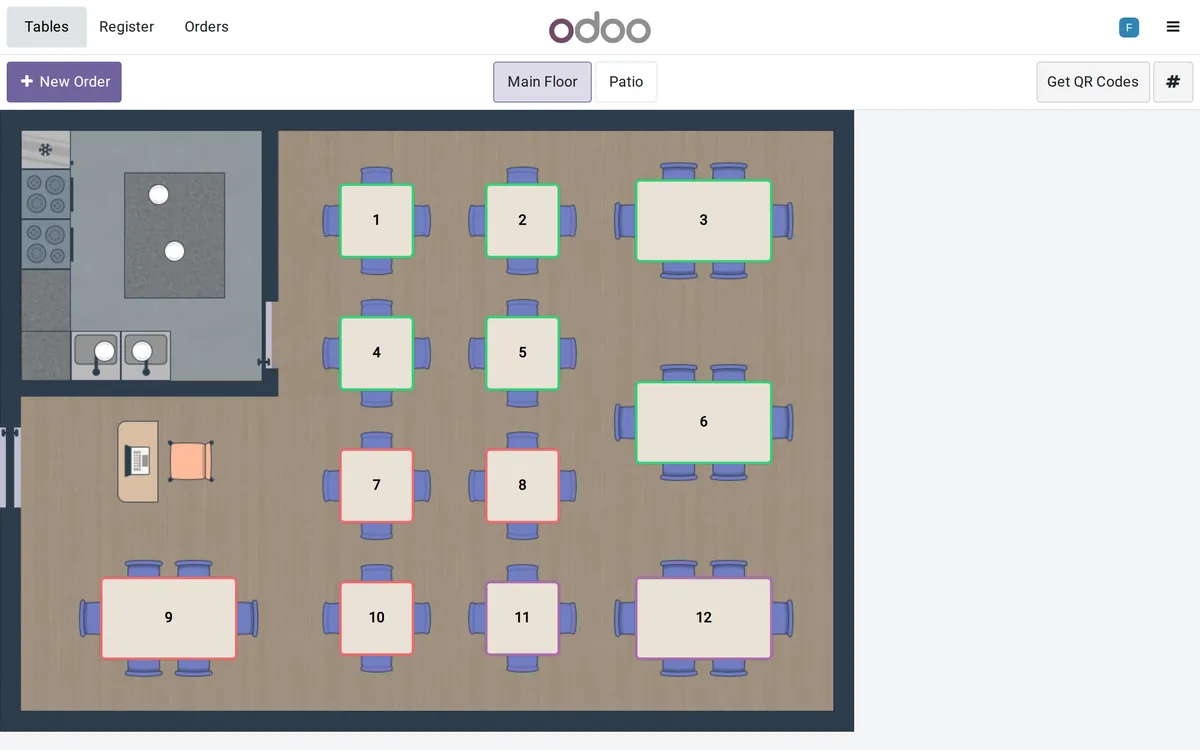
Odoo's restaurant till, on a computer or a tablet.
- Floor planDraw your rooms and tables, the patio included: you see at a glance which tables are taken.
- Orders per tableOpen a table, add the dishes and drinks: the order stays on the table until it is paid.
- Split the billSplit a table's bill between several customers.
- TipsRecord the tip when the bill is paid.
02
Kitchen and bar
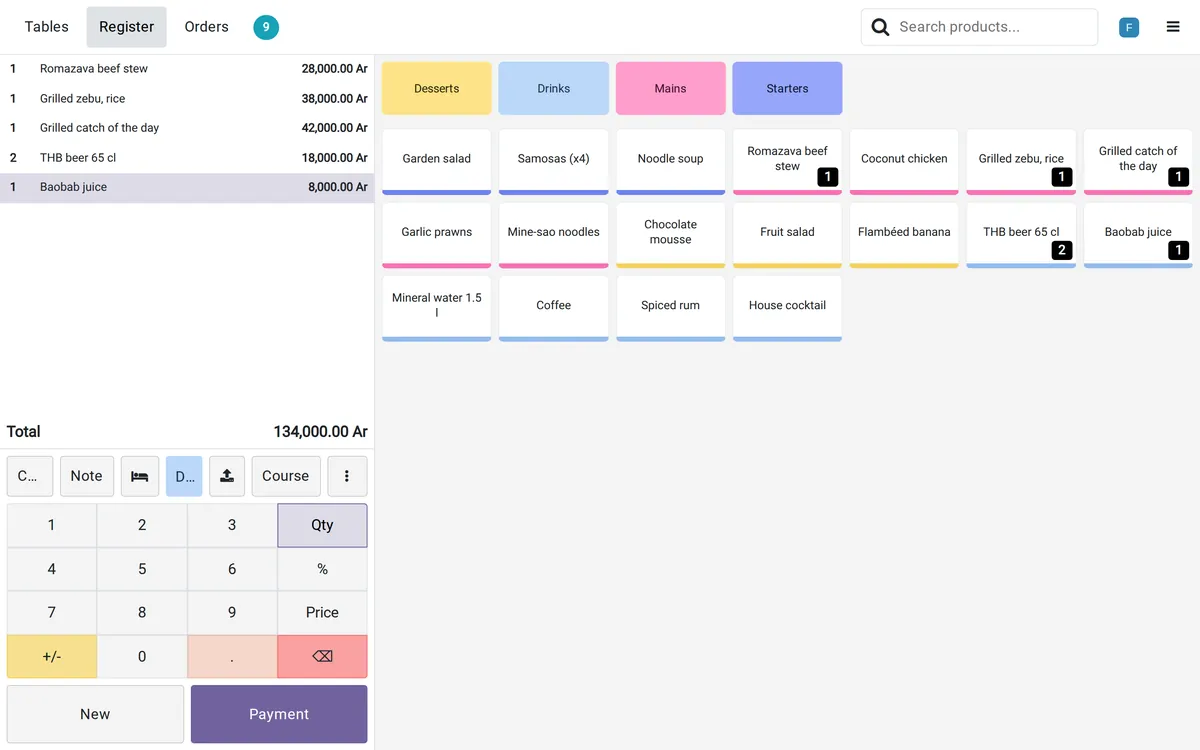
Orders go where they are prepared.
- Kitchen screenEach order sent for preparation shows on the screen of the station that prepares it, kitchen or bar, by the dish's category.
- Ticket follow-upThe kitchen moves each ticket from new to in progress, ready and served; the floor is told when it is ready.
- "Served" button at the tillAs an option, the waiter clears the order from the kitchen screens as soon as it is served.
- Kitchen printersOrders can also be printed in the kitchen, on an order printer.
03
Service and payment
Dine in, takeaway or delivery.
- Dine in, takeaway, deliveryEach order says how it is served, with its own price when needed. These presets are turned on from your workspace’s Features tab.
- Payment methodsCash, Mobile Money or card: every payment is recorded with its method.
- Till sessionsOpen and close the till every day, with the opening cash and the difference found.
- The customer's invoiceThe invoice is made at the till, when paying. The ticket can also carry a QR code so the customer asks for it online.
04
Stock and accounting
What you sell ends up in your books.
- Stock of drinks and goodsProducts tracked in stock, drinks for instance, leave the stock with every sale.
- Goods receivedRecord what arrives: the stock goes up at once.
- AccountingThe till's sales are posted when the session is closed.
- Sales by productSee what sells, by dish, by day or by month.
05
A hotel's restaurant
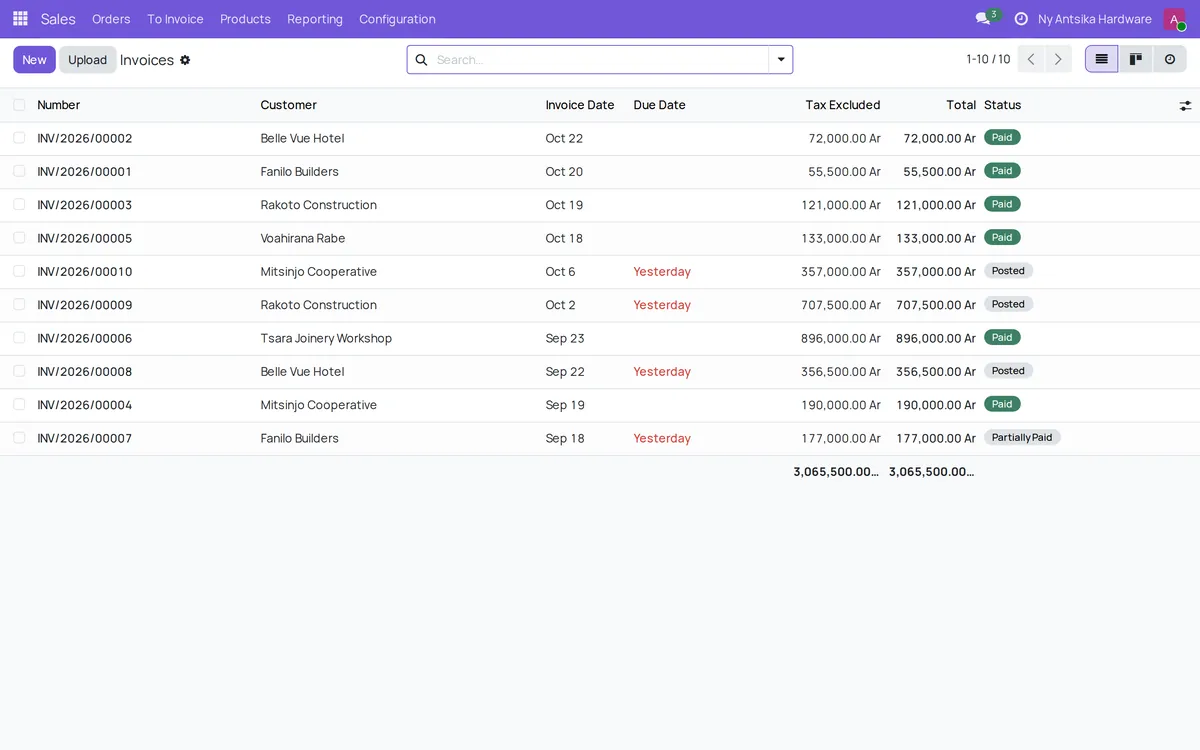
Included in the Hotel configuration.
- Restaurant, bar and kitchen screenA "Restaurant" till with its tables, and the Kitchen and Bar stations, ready in your Hotel workspace.
- Charge to roomThe hotel guest signs the restaurant bill: it is added to the stay, and the guest pays everything at departure.
- Table bookingsIn the Hotel workspace, booked tables show on the floor plan.
06
On top of Odoo
Added by Synkorao to your workspace.
- AI assistant in OdooAn assistant in your workspace: ask it in plain words to find, count, prepare or explain.
- Import your data with AIBring in your menu, customers and open invoices from an Excel or CSV file: tried first without saving, imported once you approve.
- Mobile Money and cardsMVola, Orange Money, Airtel Money, Visa and Mastercard through papi.mg: with your papi.mg merchant account, the money goes straight to that account.
Easy to start
Easy to pay, easy to learn.
A clear price and help at every step, wherever your business is.
Your subscription is paid with the methods offered at checkout. Abroad? Write to us and we will find the simplest way with you.
A computer or a tablet with a browser is enough to start.
Create your products, sell at the till, receive goods: everything is explained.
Questions
What people ask us
Do I need a hotel to get the restaurant point of sale?
No. It is included in the Hotel configuration. For a restaurant, bar or snack bar without a hotel, Odoo's restaurant point of sale is added to your workspace on request: write to us or ask for a call back.
Do I need to buy hardware?
No. A computer or a tablet with a browser is enough for the till, and the kitchen screen opens in the browser of a screen or a TV. A ticket printer can be added whenever you want.
Can I do takeaway and delivery?
Yes, at the till: with the dine in, takeaway and delivery presets, each order says how it is served, with its own price when needed. They are turned on from your workspace’s Features tab. Online ordering by your customers and delivery platforms are not offered.
Can I bring my menu from Excel?
Yes. Drop your Excel or CSV file: it is read, tried first without saving, then your dishes and drinks are imported as products once you approve.
Can several waiters take orders?
Yes. The subscription includes several users, and more can be added as your team grows.
Try Synkorao free for 7 days.
Your workspace is ready in minutes; the restaurant till is added to it on request. You continue only if it works for you.
See also: Hotel softwarePoint of sale softwareInvoicing software