Shop, grocery, hardware store, spare parts: any business that sells over the counter and tracks stock.
Shop, grocery, hardware store
Point of sale and stock software for your shop
Synkorao prepares an Odoo workspace with the till, stock, sales and invoicing already installed. You ring up sales, your stock follows, you know what sells. 7-day free trial.
- Ready in under 5 minutes
- 7-day free trial, no commitment
- Your own isolated Odoo Community workspace
01
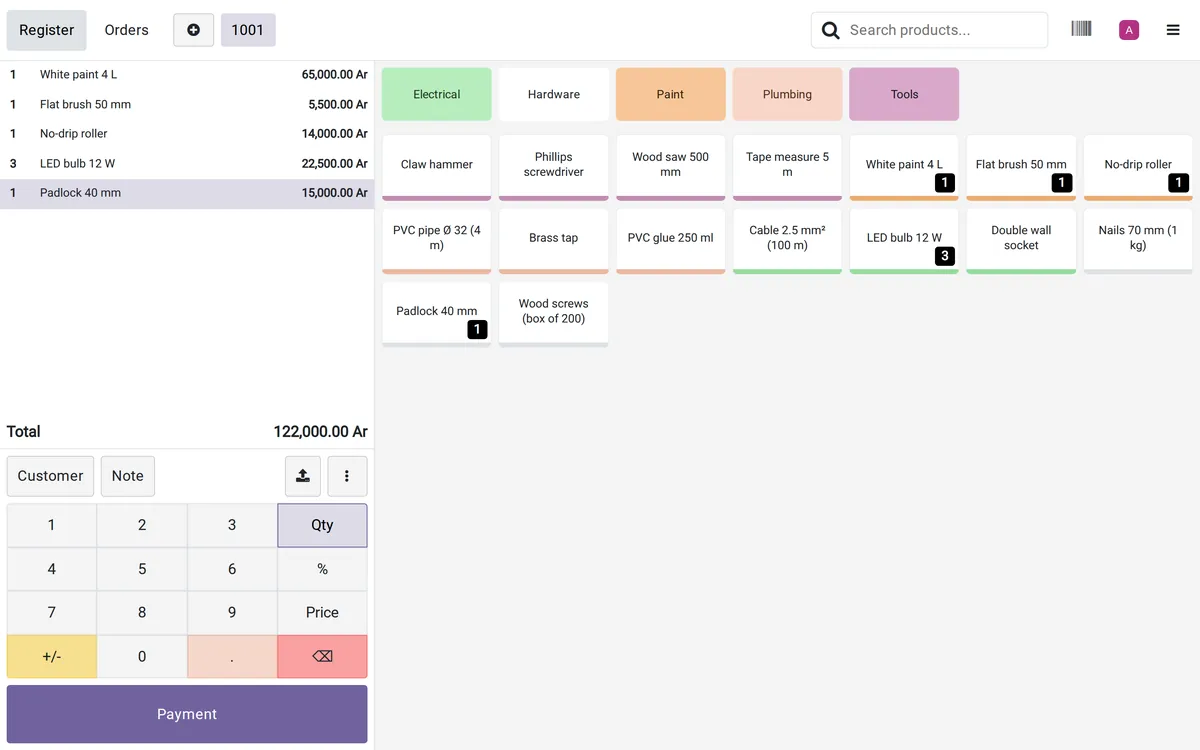
Counter till
A simple till, on a computer or a tablet.
- Ring up a salePick the products, take the payment and print the customer's ticket.
- BarcodesScan a product with a barcode reader to add it to the sale.
- Payment methodsCash, Mobile Money or card: every payment is recorded with its method.
- Till sessionsOpen and close the till every day, with the opening cash and the difference found.
02
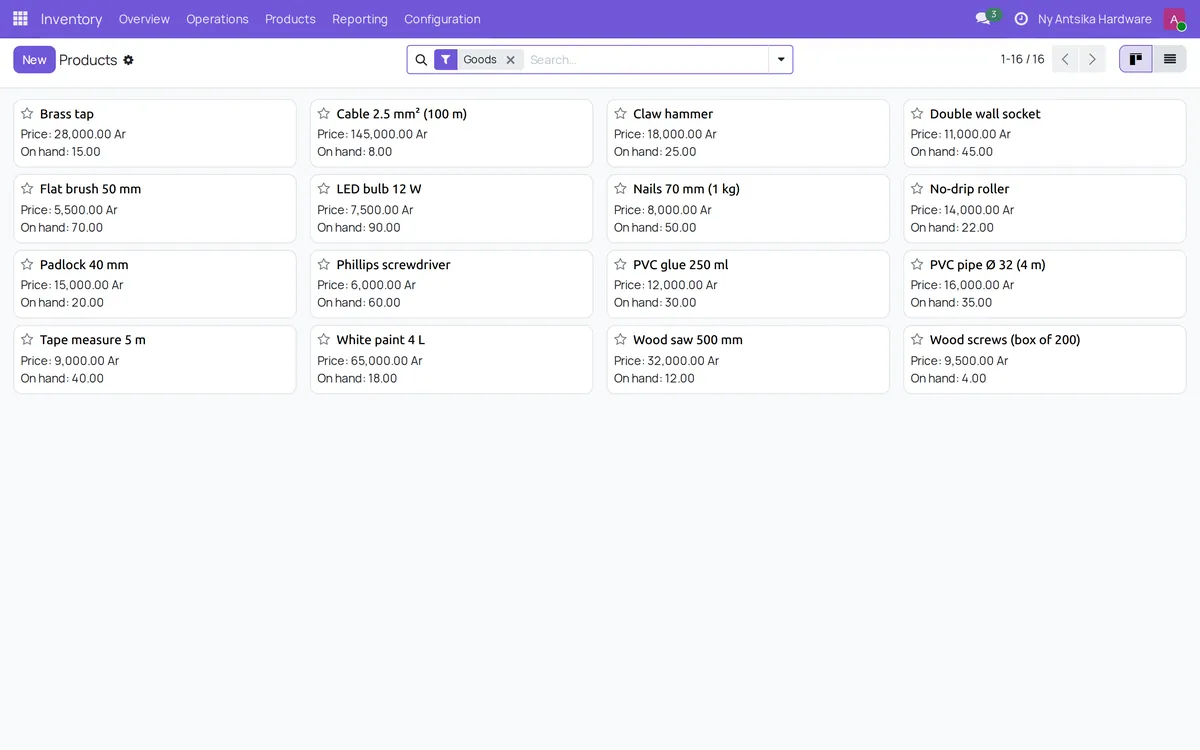
Stock
Your stock follows your sales, with nothing more to type.
- Up-to-date stockEvery sale takes the products out of stock.
- Goods receivedRecord what arrives: the stock goes up at once.
- InventoryCount your shelves and correct the quantities in Odoo.
- Products and variantsSizes, colours, packaging: one product, several variants.
03
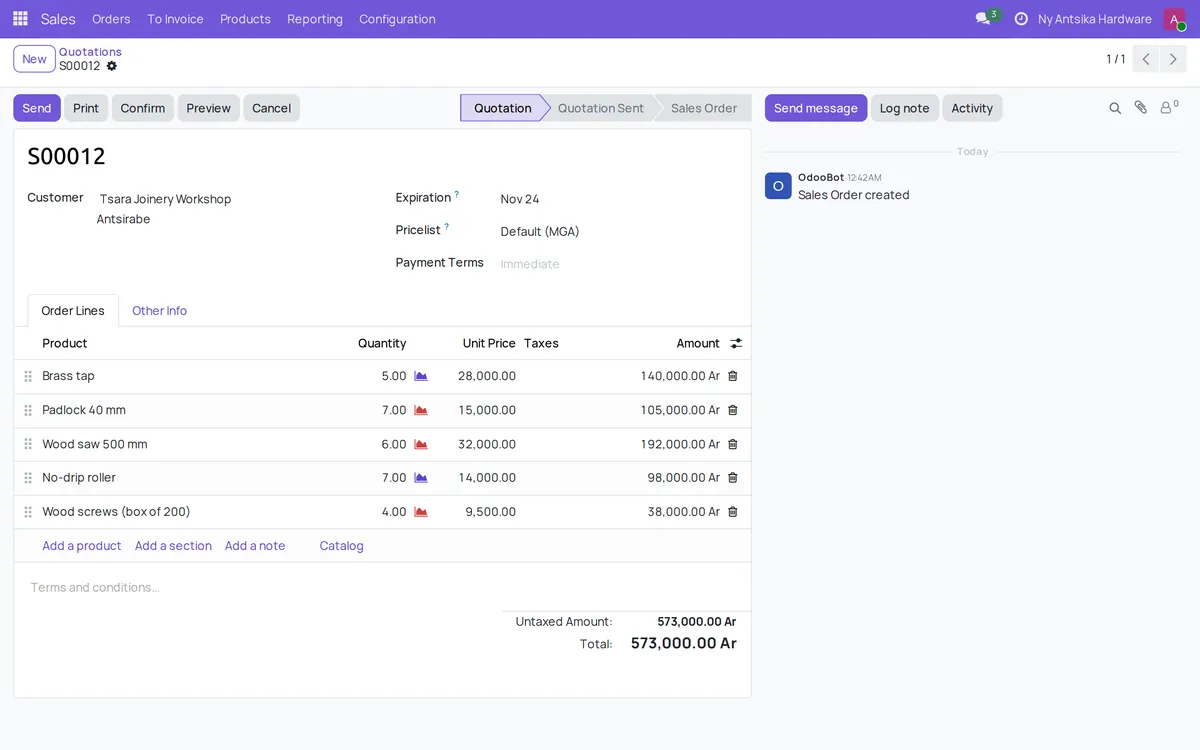
Sales and invoices
For customers who order or ask for an invoice.
- Quotations and ordersSend a PDF quotation by e-mail, then turn it into an order.
- InvoicesInvoice a sale or an order, with your logo and address.
- PaymentsRecord payments, even partial ones: you see what is still due.
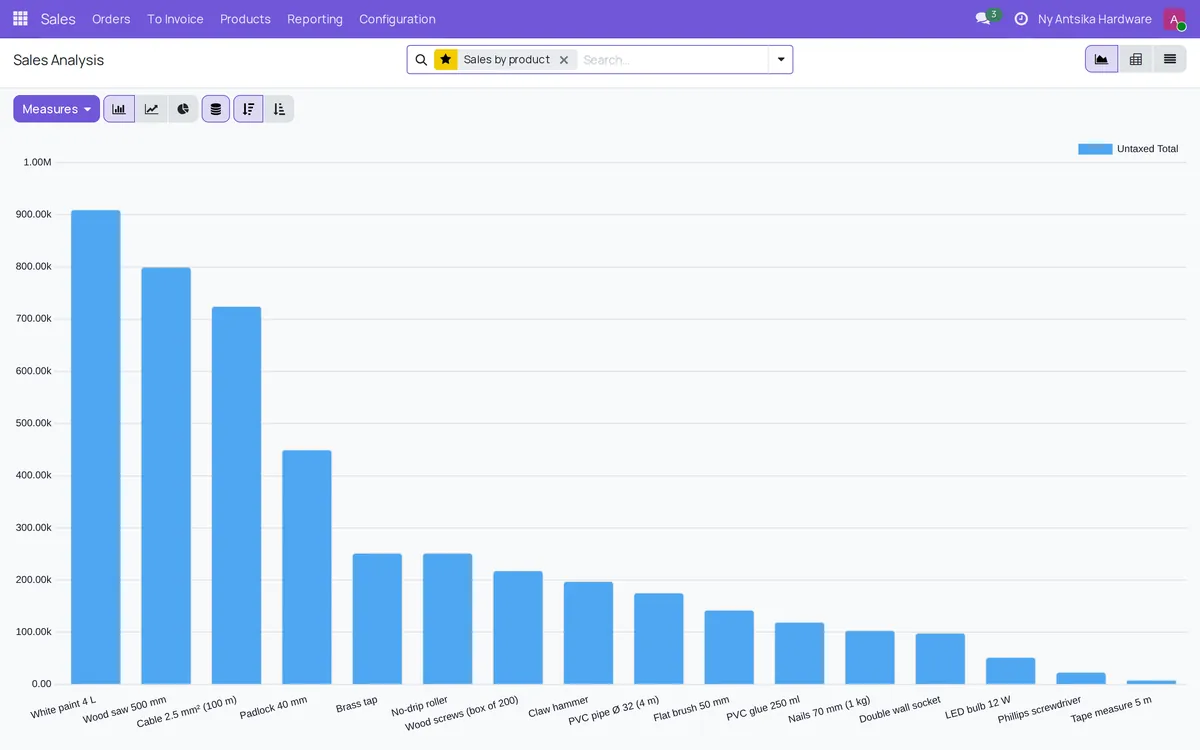
- Sales by productSee what sells, by product, by day or by month.
04
On top of Odoo
Added by Synkorao to your workspace.
- AI assistant in OdooAn assistant in your workspace: ask it in plain words to find, count, prepare or explain.
- Import your data with AIBring in your customers, products and open invoices from an Excel or CSV file, a SAGE export for instance: tried first without saving, imported once you approve.
- Stock filtersFind products out of stock or the forecast stock quickly.
Easy to start
Easy to pay, easy to learn.
A clear price and help at every step, wherever your business is.
Your subscription is paid with the methods offered at checkout. Abroad? Write to us and we will find the simplest way with you.
A computer or a tablet with a browser is enough to start.
Create a product, ring up a sale, count the stock: everything is explained.
Questions
What people ask us
Does it work for a pharmacy?
Yes for the till, stock and invoicing. Lot tracking is turned on from your workspace’s Features tab. Expiry dates and the rules specific to pharmacies are not covered: describe your need and we will look at how to add it.
Do I need to buy hardware?
No. A computer or a tablet with a browser is enough. A barcode reader can be added whenever you want.
Can I bring my products from Excel?
Yes. Drop your Excel or CSV file: it is read, tried first without saving, then your products and customers are imported once you approve.
Can I manage purchases from suppliers?
The starting configuration covers the till, stock, sales and invoices. Odoo Community's Purchase application is added from your workspace’s Features tab.
Can several sellers use the till?
Yes. The subscription includes several users, and more can be added as your team grows.
Try Synkorao free for 7 days.
Your workspace is ready in minutes. You continue only if it works for you.
See also: Hotel softwareInvoicing softwareRestaurant software